Saving Snapshots
Introduction
Yogger’s video analysis technology enables users to annotate and edit videos with advanced tools. Snapshots allow coaches and trainers to capture and highlight specific moments in a movement, freezing key actions to assist in precise movement evaluation.
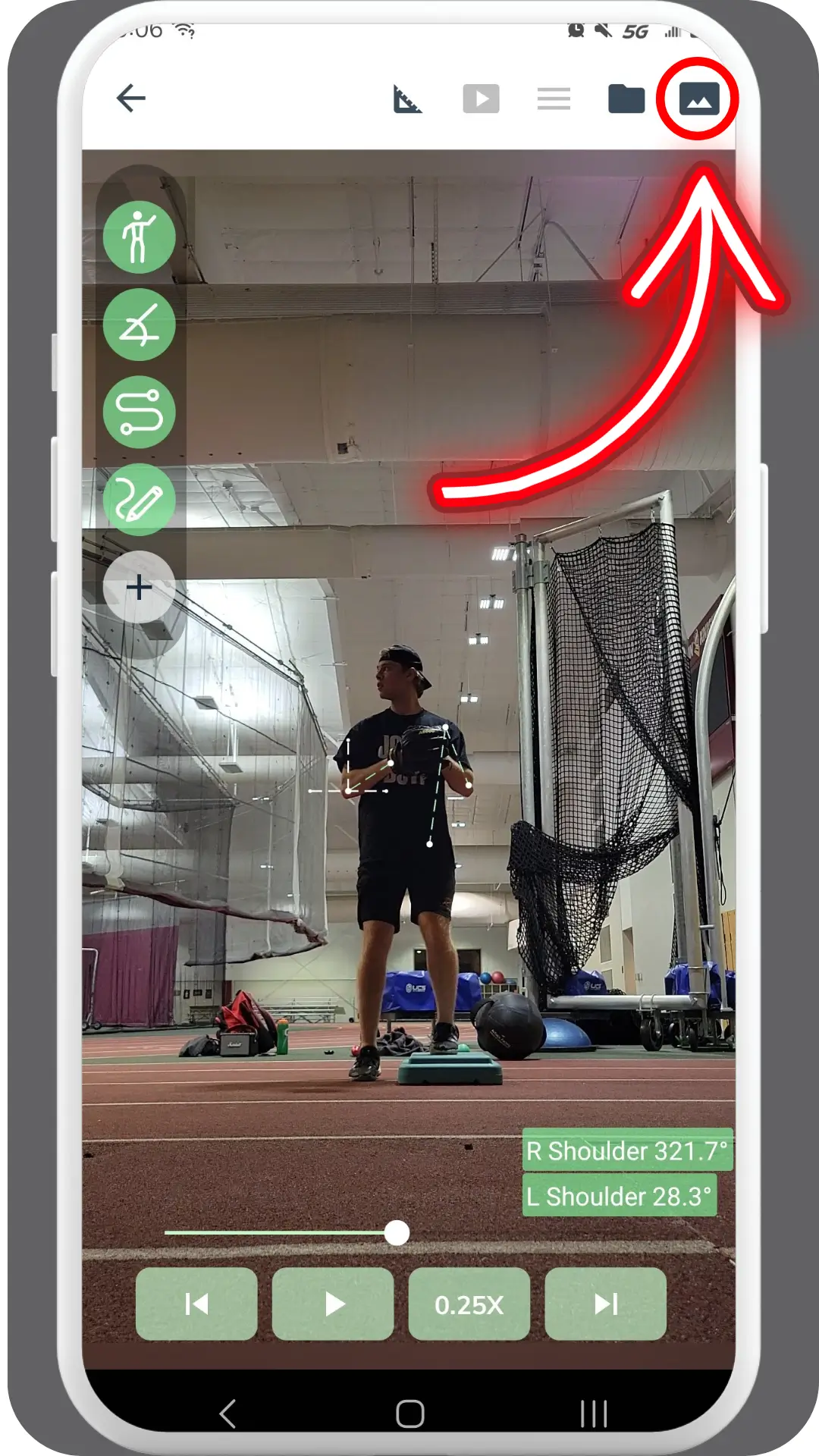
Location: Take a video in Yogger, pick a video from your Yogger Library, or select a video from your Photo Library to get to playback view. Once in playback view, press the “image” icon in the top right corner to save a snapshot of movement in the video.
Purpose and Functionality
The intended purpose of saving snapshots is to capture and preserve specific moments or key positions during a movement for detailed analysis. This functionality allows users to highlight critical frames, compare different stages of a movement, and document important observations. Saved snapshots can be used for further review, included in reports, or shared with athletes and colleagues, providing a visual reference that supports more precise feedback and communication.
How to Use
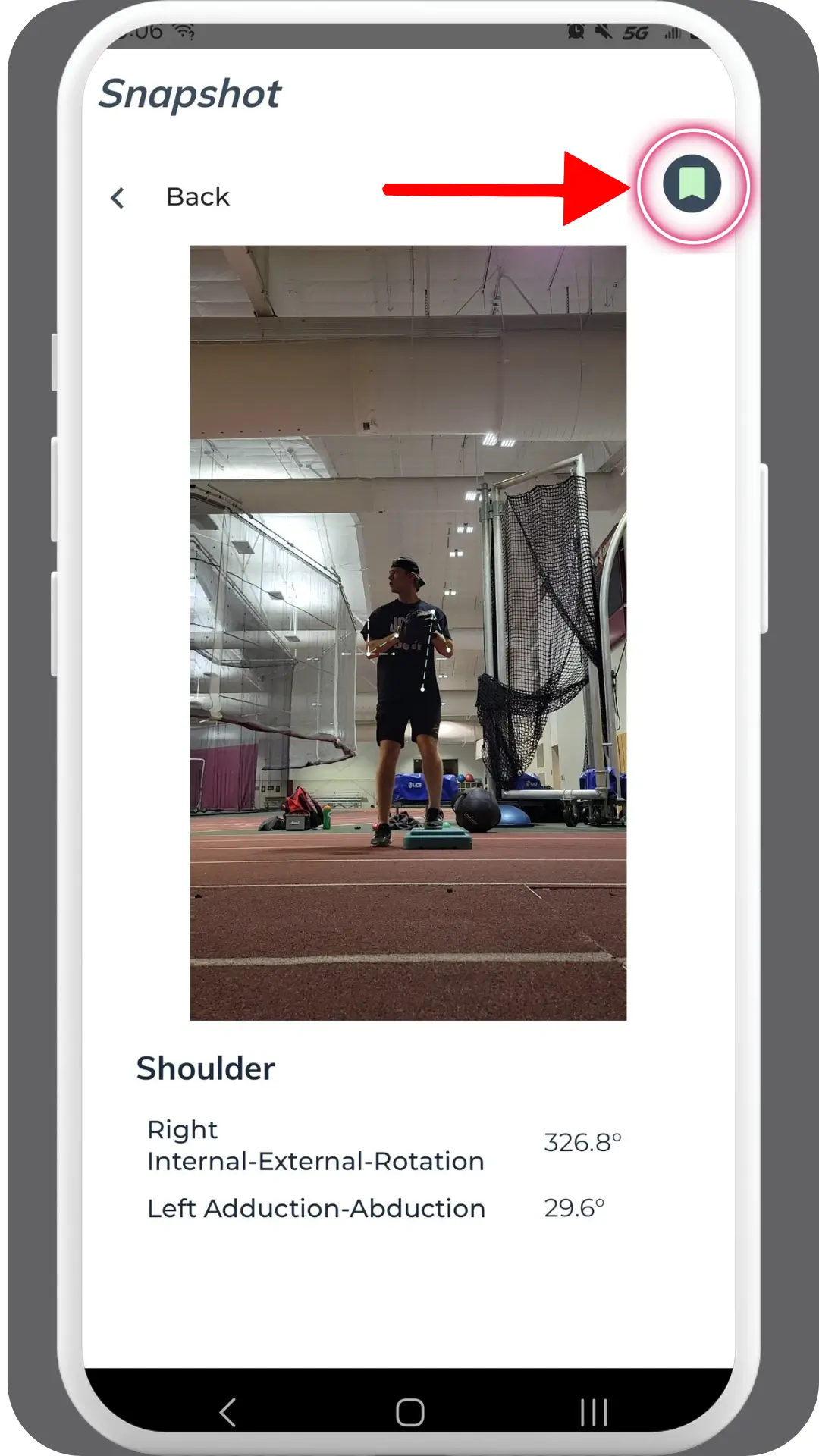
When you identify an important frame in a client’s movement, simply press the image icon in the top right corner to capture a snapshot of that specific moment in the playback view. You will be directed to a preview of the snapshot on the next screen.
Saving a Snapshot
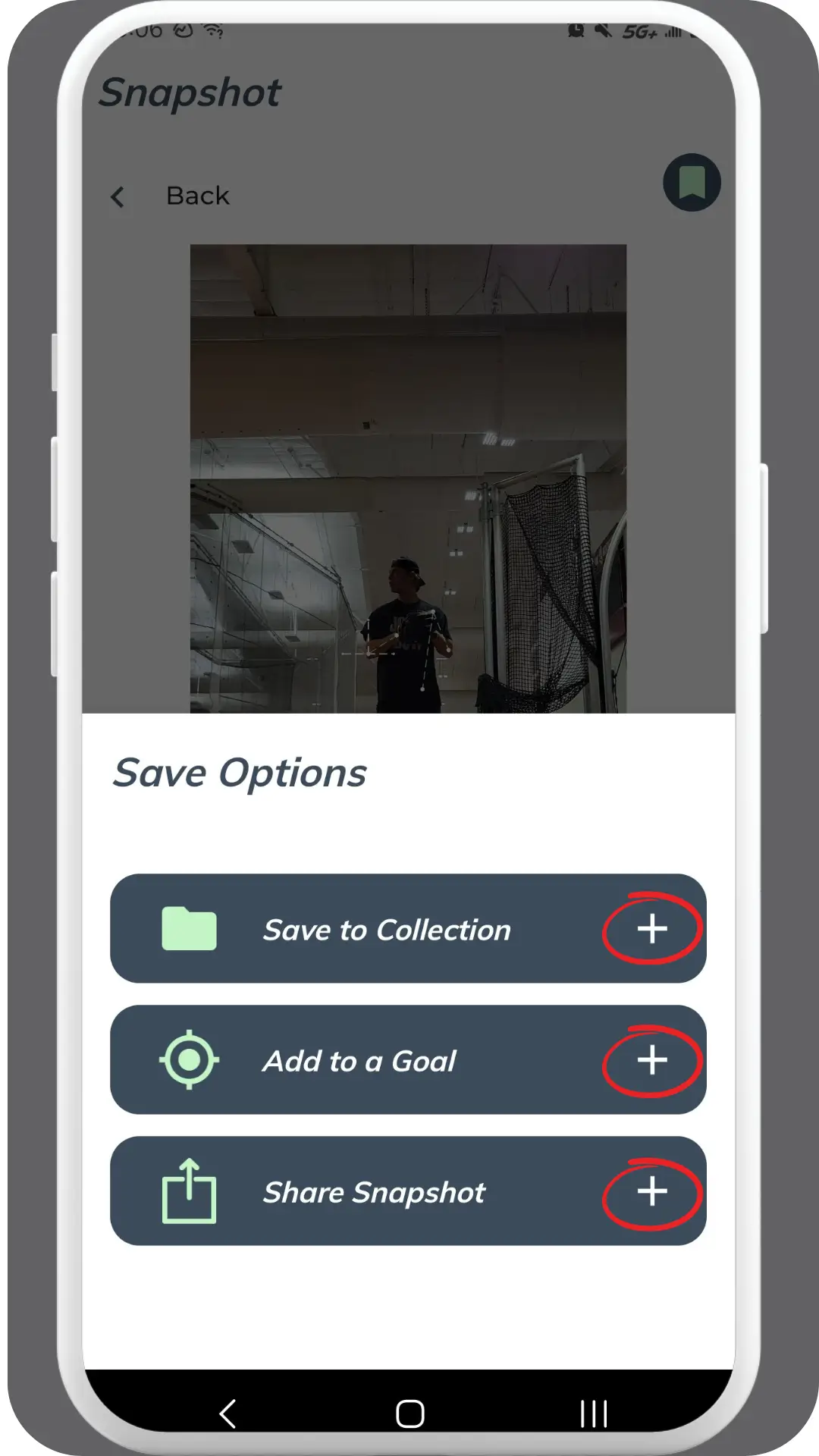
Press the “Save” icon in the top right corner to access the available saving options. Snapshots can be added to an athlete’s collection or report.
- Collections: Customize and organize client libraries for specific purposes. For example, if a client is focusing on improving their squat form, you can create a collection named “Squat Form” to organize all related video analyses. Snapshots saved to a collection will be stored in the Yogger Cloud, ensuring accessibility for all coaches and the client.
- Reports: Shareable PDF documents consolidating media and information related to an athlete’s progress. Saving snapshots to a report provides data-driven insights, helping trainers and coaches explain their analysis to clients and track progress effectively. Ensure that the client’s report is created before saving the snapshot.
To share the snapshot externally, press the “share snapshot” button, which allows export to various other apps.
FAQs + Troubleshooting
For any issues or questions, ensure snapshots are properly saved and organized within the appropriate collection or report. Additional troubleshooting may depend on the playback and saving configuration.