Side by Side Analysis
Introduction
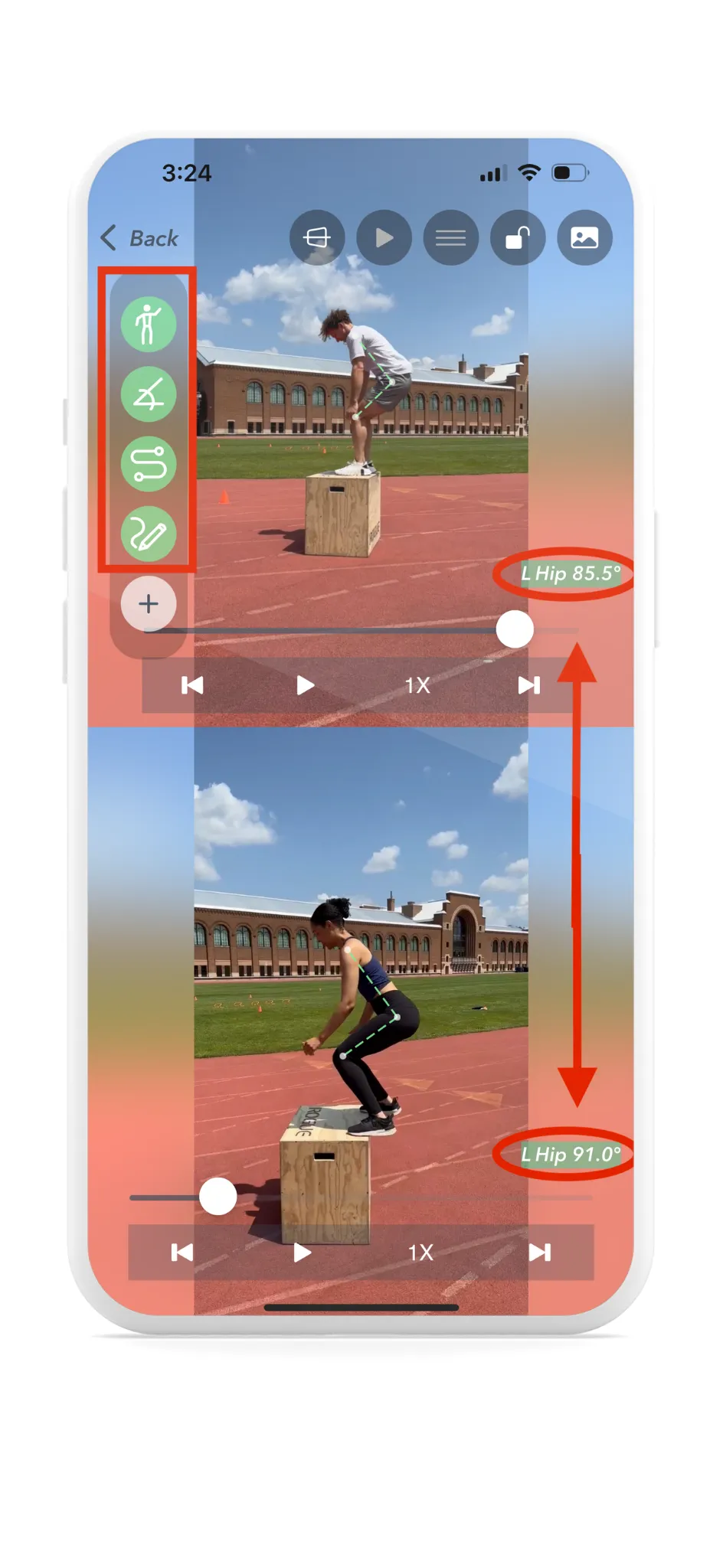
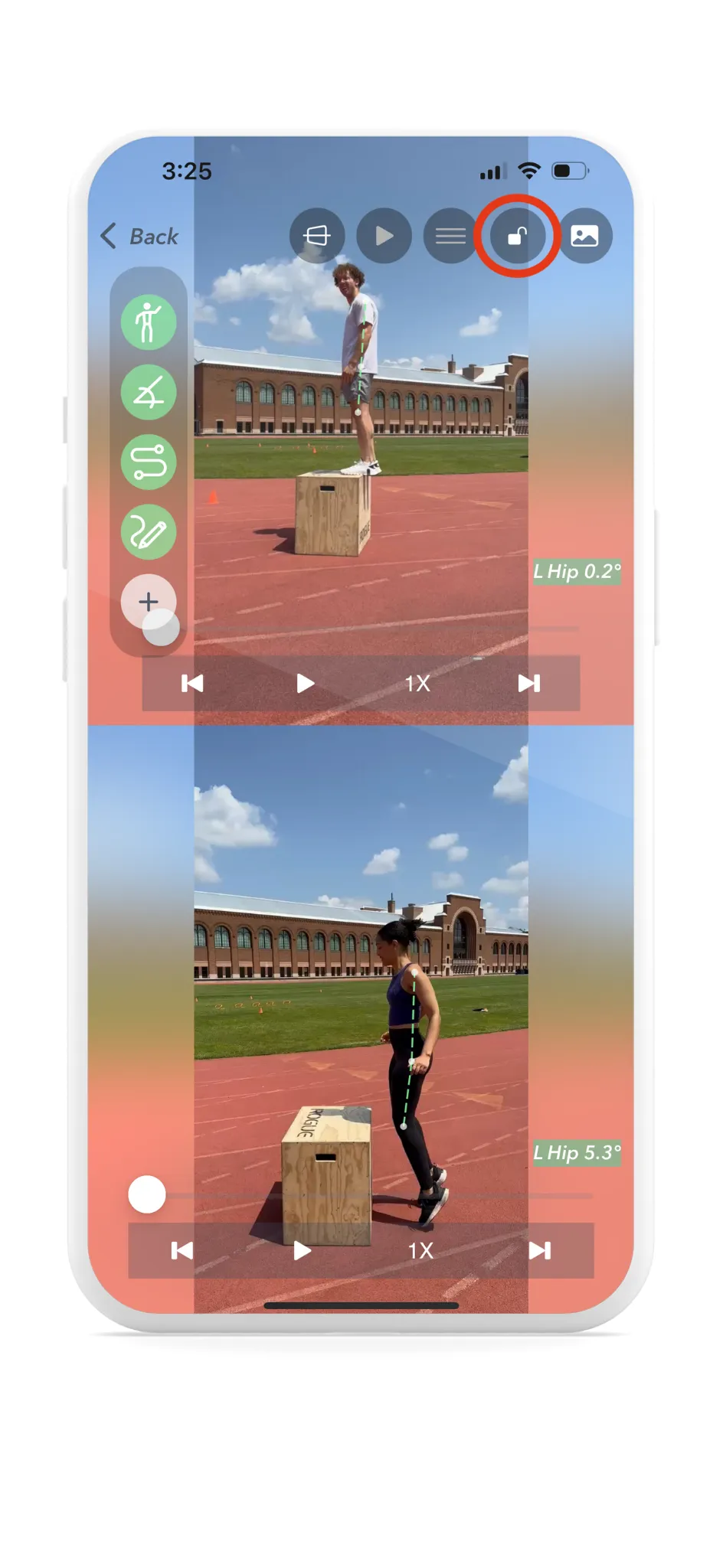
Yogger offers the ability to compare videos side by side in the playback view. The side-by-side analysis feature allows users to play two videos on the same screen and play them synchronously.
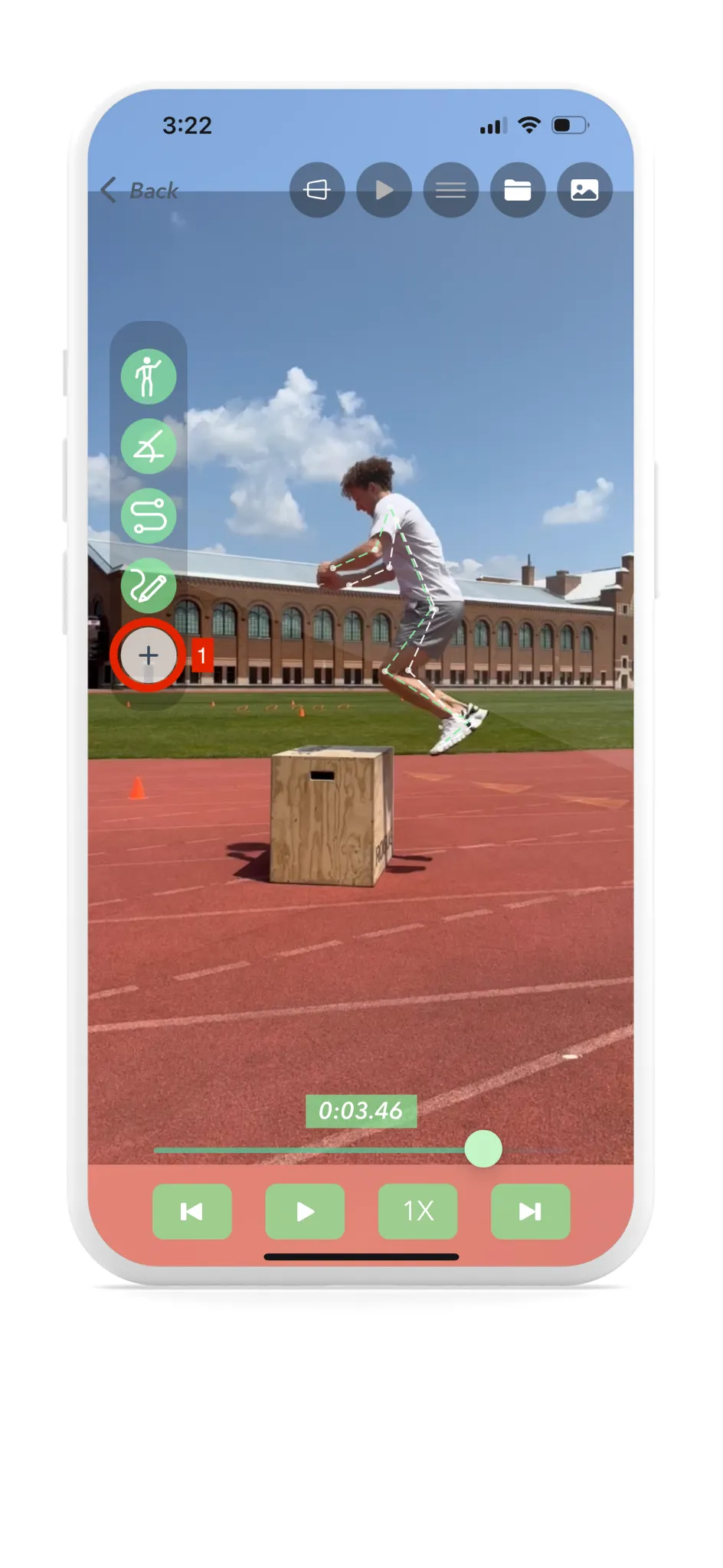
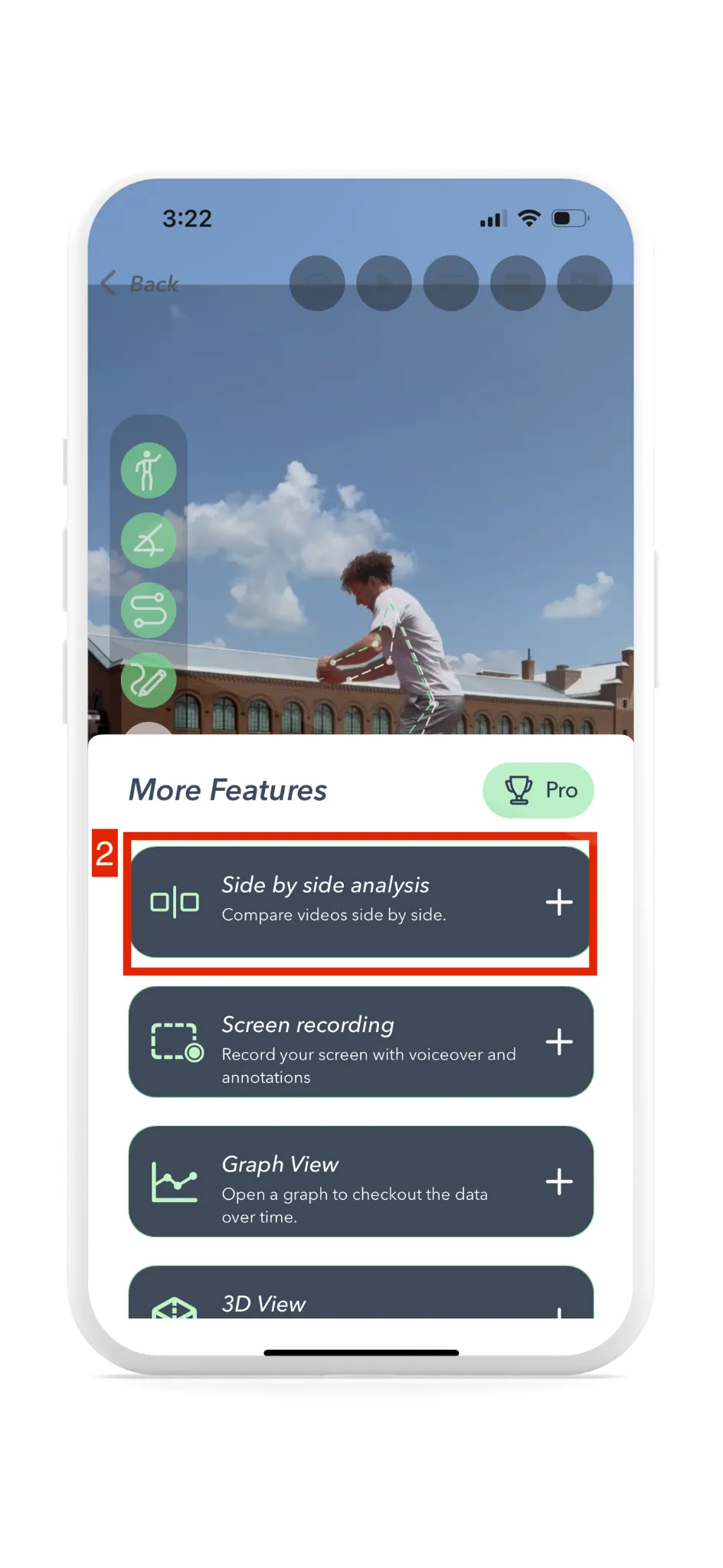
Location: This feature is found in the playback view under More Features.
Purpose and Functionality
Side-by-side analysis is used to compare movement from two different times, giving users the ability to play and view two different videos simultaneously. This makes it easier to compare the motion taking place in each video. All analysis tools present in the playback view are also available in the side-by-side view. This allows users to collect more information on one screen and draw meaningful conclusions about their movements.
How To Compare Videos Side by Side
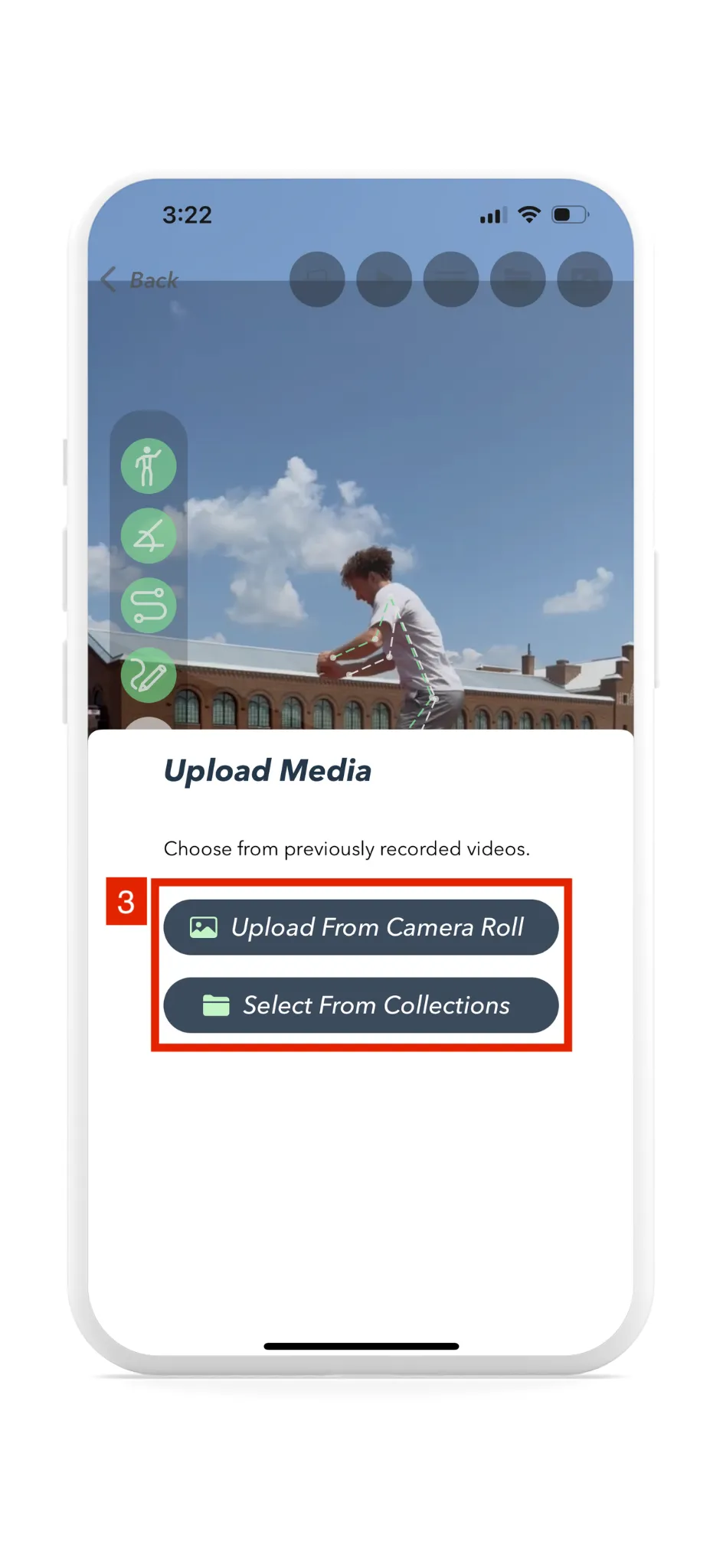
Open More Features in the Playback View and select the side-by-side option. In the web app, choose a saved video or assessment from the selected athlete’s library. On supported mobile workflows, you may also choose media from the device’s camera roll.
During Side By Side Comparison
Once you are in side-by-side mode, Yogger operates very similarly to the normal playback view. Users can take a screenshot, toggle tracking, isolate joints, and take advantage of all the other major features in the playback view. The major difference is being able to sync the videos together. Syncing the videos will toggle the playback controls so a single play/pause and search will control the two videos simultaneously. Pressing the sync button again will go back to two individual playback controls.
Tips and Best Practices
Side-by-side motion analysis can help professionals compare technique, communicate observations, and show changes in movement over time. Some use cases include:
- Sports Performance Analysis: Compare movements to professionals to identify areas for improvement.
- Movement Screening: Compare visible movement patterns and identify areas that may warrant further professional evaluation.
- Equipment Optimization: Analyze posture and technique for adjustments to improve performance.
- Game Strategy: Understand team or individual player movements for better tactics.
- Physical Rehabilitation: Monitor progress and ensure exercises are performed correctly.
- Ergonomics and Workplace Safety: Evaluate workstations to reduce repetitive strain injuries.
- Dance and Performing Arts: Refine movements for expressive and efficient performances.
- Gait Analysis: Compare gait mechanics and communicate observations to clients or patients.
- Biomechanical Research: Study movement for research or medical applications.